
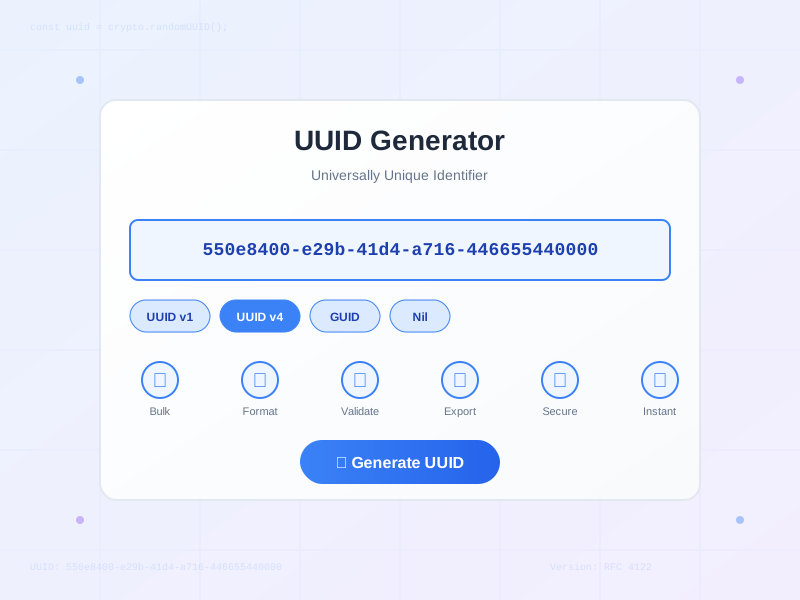
UUID Generator - Genereer UUIDs en GUIDs Online
Genereer UUIDs (v1, v4) en GUIDs direct. Gratis online UUID generator met bulk generatie, meerdere formaten, validatie en export opties.
1 min lezen
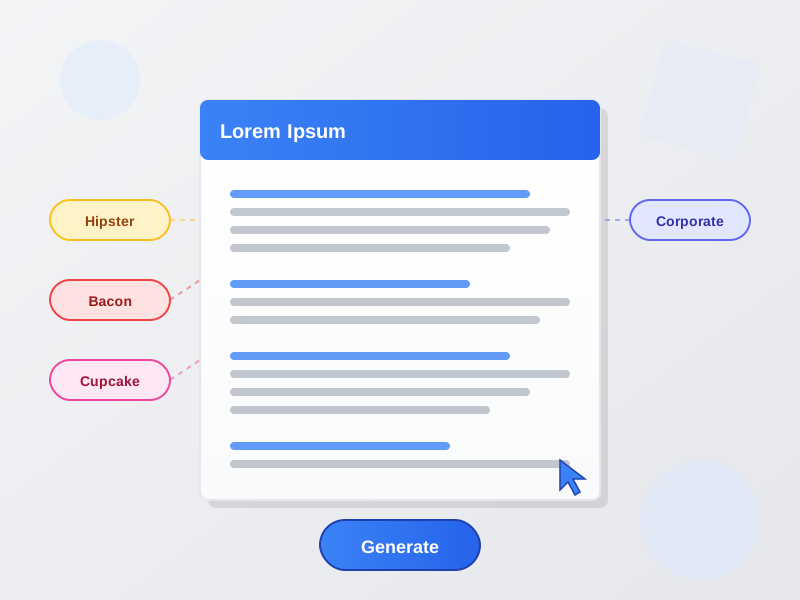
Generate Lorem Ipsum dummy text instantly with multiple generator types and formats. Choose from classic Lorem Ipsum, Hipster Ipsum, Bacon Ipsum, Cupcake Ipsum, or Corporate Ipsum. Output in plain text, HTML, Markdown, or JSON with customizable amounts (1-10,000 words) and formatting options.
Lorem Ipsum has been the industry’s standard dummy text since the 1500s, providing the most recognized and widely-accepted placeholder content for design mockups. Derived from Cicero’s classical Latin text “De Finibus Bonorum et Malorum” (45 BC), the scrambled pseudo-Latin creates natural-looking text blocks without distracting readers with meaningful content. The ‘Start with classic text’ option begins every generation with the traditional “Lorem ipsum dolor sit amet, consectetur adipiscing elit” opener, ensuring consistency across multiple design iterations. This generator produces grammatically structured sentences (8-20 words) and naturally flowing paragraphs (4-8 sentences) that realistically preview how actual content will occupy your layouts, test typography hierarchies, and demonstrate text wrapping behavior across responsive breakpoints.
Beyond classic Lorem Ipsum, this tool offers five themed generators that make design presentations more engaging while serving the same placeholder purpose. Hipster Ipsum fills mockups with trendy artisan vocabulary (“biodiesel Brooklyn cardigan craft beer”) perfect for lifestyle brands, fashion sites, and modern creative agencies. Bacon Ipsum injects meat-themed humor (“bacon strip steak pork belly”) ideal for restaurant websites, food blogs, and culinary projects. Cupcake Ipsum sweetens designs with dessert words (“cupcake candy sweet chocolate”) suited for bakeries, confectionery shops, and playful consumer brands. Corporate Ipsum delivers business jargon (“synergy leverage paradigm shift”) that creates realistic enterprise software mockups, B2B landing pages, and professional service sites. Each generator maintains proper sentence structure and paragraph flow while substituting themed vocabulary, allowing you to match placeholder text to project context and client industries.
Generate dummy text in five production-ready formats that integrate seamlessly into any design or development workflow. Plain Text provides clean paragraphs with line break separation, ready to paste into any text editor, design software (Figma, Sketch, Adobe XD), or word processor. HTML with P Tags wraps each paragraph in semantic <p></p> markup, eliminating manual formatting when pasting into HTML files, CMS platforms (WordPress, Drupal), or email builders. HTML with Headings automatically structures long-form content with <h1> main titles and <h2> section headings every few paragraphs, creating realistic document hierarchy for article templates and documentation mockups. Markdown Format outputs content with # heading syntax and **bold** / *italic* styling (when formatting is enabled), perfect for GitHub readme files, documentation systems, and Markdown editors. JSON Array Format structures paragraphs as a valid JSON array, ideal for developers populating databases, RESTful APIs, or JavaScript applications with dummy data during testing and development phases.
Generate precise amounts of placeholder text across three distinct modes optimized for different use cases. Paragraphs Mode (1-100) creates complete multi-sentence blocks with natural flow, allowing you to fill entire landing pages (5-8 paragraphs), blog post templates (10-20 paragraphs), or long-form content areas (50+ paragraphs) with realistic text volumes. Each paragraph contains 4-8 sentences (60-150 words) that demonstrate how actual content will occupy vertical space and affect page length. Sentences Mode (1-500) generates individual stand-alone sentences perfect for testing headline + subheadline combinations, preview text snippets, list item descriptions, or short text blocks where paragraph structure would be excessive. Words Mode (1-10,000) outputs continuous word streams ideal for testing character counters, word limit displays, text truncation behavior, or filling extremely long content areas like terms of service, privacy policies, or legal document templates. Quick select buttons (3, 5, 10, 25, 50, 100) provide instant access to commonly used amounts, while the slider offers precise control for custom requirements.
Enable ‘Add random formatting’ to automatically inject bold and italic styling throughout generated text, creating visually realistic mockups that demonstrate how mixed text styles affect design readability and hierarchy. The generator applies formatting intelligently at approximately 5% bold and 3% italic ratios - matching real-world content where occasional emphasis highlights key terms and concepts without overwhelming the reader. In HTML mode, formatting uses semantic <strong> and <em> tags that are screen-reader friendly and SEO-appropriate. In Markdown mode, styling renders as **bold** and *italic* syntax recognized by all major Markdown parsers. This feature is essential for previewing blog post layouts (where quotes, product names, and key phrases are emphasized), editorial designs (where stylistic variation creates visual interest), website mockups (where calls-to-action and value propositions use bold), and any context where you need to test how styled text affects line height, text wrapping, and overall visual balance.
Access your generated placeholder text through two convenient export methods. Copy to Clipboard provides instant one-click copying to your system clipboard, allowing you to immediately paste into design tools (Figma, Sketch, Adobe XD), code editors (VS Code, Sublime, WebStorm), content management systems (WordPress, Drupal, Contentful), or presentation software (PowerPoint, Keynote, Google Slides). The copy function works across all modern browsers and automatically handles format preservation - HTML maintains tag structure, Markdown preserves syntax, and plain text copies cleanly without unwanted formatting. Download as .txt File saves your generated content as a timestamped text file (lorem-ipsum-[timestamp].txt) that can be archived for later use, shared with team members, or imported into applications that don’t support clipboard pasting. Both methods work entirely client-side without server uploads, ensuring your workflow remains fast and private.
All text generation happens completely in your browser using vanilla JavaScript - zero server processing, zero data transmission, zero tracking. The generator uses deterministic algorithms and word banks stored locally in the page code, meaning no network requests are made during text generation. Your generated content never leaves your device, ensuring confidentiality when working on unreleased projects, client work under NDA, or sensitive designs that require privacy. No cookies are set, no session data is stored, and no analytics track your usage patterns. The tool works perfectly offline once the page loads - you can disconnect from the internet and continue generating text indefinitely. This privacy-first architecture makes the generator safe for agency work, freelance projects, enterprise environments with strict data policies, and anyone who values keeping their design process completely private.
Lorem Ipsum is essential for creating realistic website mockups that demonstrate layout, typography, and spacing without the distraction of readable content. Use 5-8 paragraphs for landing page hero sections, about pages, and service descriptions to show clients how text blocks will flow across different screen sizes. Generate 10-20 paragraphs for blog post templates, allowing you to test reading comfort, line length, font size hierarchy, and vertical rhythm. The HTML with headings format is perfect for content-heavy pages, automatically inserting H2 section breaks that demonstrate information architecture. Test responsive breakpoints by filling navigation menus (10-20 words), card components (50-100 words), and footer columns (100-200 words) to ensure text wraps gracefully at mobile, tablet, and desktop widths. Use alternative generators (Hipster for lifestyle brands, Corporate for B2B sites) to better match the client’s industry and make presentations more engaging.
Graphic designers rely on Lorem Ipsum for creating professional layouts in brochures, magazines, posters, flyers, and advertisements where final copy isn’t available yet. Generate 15-25 paragraphs for multi-page brochure layouts, testing how columns, text boxes, and image placements work together. Use 3-5 sentences for headline + subheadline combinations in poster designs, ensuring typographic hierarchy and visual impact. For magazine spreads, generate 50-100 paragraphs to fill entire articles, testing how body text, pull quotes, captions, and callouts interact across page layouts. In Adobe InDesign, Illustrator, or Affinity Publisher, HTML formatted output allows quick styling application to multiple text blocks. The ‘Add formatting’ option helps preview where bold and italic text will naturally occur in real content, ensuring adequate tracking, kerning, and weight balance between regular and emphasized text.
Web developers use Lorem Ipsum to populate CMS templates during theme development, ensuring layouts work with varying content lengths before real content arrives. Generate 5-10 paragraphs per post when building WordPress, Drupal, or custom CMS themes to test archive pages, single post layouts, and search results with realistic content volumes. Use sentences mode (20-50 sentences) to populate excerpt fields, meta descriptions, and preview text with varied lengths that stress-test truncation logic and “read more” implementations. JSON output format is perfect for seeding databases or APIs during development - the structured array can be directly imported into MongoDB, PostgreSQL, or REST endpoints to create dozens of dummy posts instantly. Test content editor features like WYSIWYG formatting, image insertion, and block editors by generating HTML formatted text that includes paragraph tags, making it easy to add inline styles and embedded media.
Email designers need placeholder text to build responsive email templates that work across diverse email clients (Gmail, Outlook, Apple Mail, mobile apps). Generate 3-5 paragraphs for newsletter article previews, ensuring content fits within typical preheader + preview pane constraints (300-500 characters). Use 2-3 sentences for promotional email hero sections, testing headline + subheadline + CTA button layouts that drive conversions. For multi-section newsletters with 4-6 article blocks, generate 100 words per section to preview vertical scroll length and content density. HTML formatted output integrates seamlessly into email builder tools like Mailchimp, Campaign Monitor, or custom HTML email code. Test dark mode rendering by previewing black and white background variations with your Lorem Ipsum fills. Use plain text format for creating plaintext email versions that many subscribers still prefer for accessibility and inbox deliverability.
Mobile app designers and developers use Lorem Ipsum to populate UI screens during prototyping and user testing phases. Generate 25-50 words for app onboarding screens, about sections, and settings descriptions that need to fit within small mobile viewport constraints. Use 10-20 sentences to fill news feed items, article lists, and card-based interfaces, testing how content length variation affects scroll behavior and layout consistency. For chat interfaces and messaging apps, generate 5-10 word bursts that mimic message bubble sizes and conversation flow patterns. In Figma, Sketch, or Adobe XD, paste plain text Lorem Ipsum into text layers to quickly populate dozens of screens without manually typing dummy content. Test text truncation, ellipsis behavior, and “see more” expansion by generating 100-200 word blocks that exceed typical mobile text container limits, ensuring graceful overflow handling on both iOS and Android platforms.
Designers and typographers use Lorem Ipsum to evaluate font choices, size hierarchies, and readability across different text lengths and styles. Generate 20-50 paragraphs to test body text fonts for extended reading comfort, examining factors like x-height, letter spacing, line height, and readability at various sizes (14-18px for web, 10-12pt for print). Use sentences mode with ‘Add formatting’ enabled to preview how font weights (regular, bold, italic) work together in mixed content, ensuring sufficient visual distinction between styles. Test heading fonts by generating HTML with headings format, allowing you to see H1, H2, and body text hierarchies side-by-side and adjust size ratios accordingly (typical scales: 2.5em/1.5em/1em or 36pt/24pt/16pt). Compare serif vs sans-serif font pairings by generating identical Lorem Ipsum blocks in different typeface combinations, evaluating aesthetic harmony and functional readability. For font specimen sheets and type foundry presentations, generate 100+ paragraphs across all available weights and styles to create comprehensive typographic showcases.
Lorem Ipsum is dummy text used in the printing and typesetting industry since the 1500s. It's derived from sections of Cicero's 'De Finibus Bonorum et Malorum' (The Extremes of Good and Evil) written in 45 BC. The text has been scrambled and modified over centuries to create a pseudo-Latin placeholder that looks like readable English. It's used because it provides a more natural distribution of letters compared to 'Content here, content here,' making it useful for previewing layouts and visual mockups. The standard Lorem Ipsum passage used since the 1500s begins with 'Lorem ipsum dolor sit amet, consectetur adipiscing elit.'
Lorem Ipsum is ideal for design mockups because it prevents viewers from being distracted by readable content. When designers present layouts with real or meaningful text, clients and stakeholders often focus on editing the copy rather than evaluating the design itself. Lorem Ipsum provides neutral filler that looks like natural language, allowing everyone to concentrate on visual elements like typography, spacing, layout, and hierarchy. It also maintains consistent text length across multiple design iterations, unlike real content that changes frequently. Additionally, using dummy text protects client confidentiality during the design phase when actual content may not be finalized or approved for broader visibility.
Beyond classic Lorem Ipsum, this tool offers five alternative generators: **Hipster Ipsum** (artisan, Brooklyn, craft beer themed for trendy designs), **Bacon Ipsum** (meat-themed text like 'bacon strip steak pork chop' for fun food-related projects), **Cupcake Ipsum** (dessert-themed with sweet words for bakery or confectionery designs), **Corporate Ipsum** (business jargon like 'synergy leverage paradigm shift' for professional mockups), and **Pirate Ipsum** (arr matey speak for playful projects). Each generator maintains the grammatical structure of Lorem Ipsum while replacing vocabulary with themed words, making mockups more engaging and appropriate for specific project contexts.
Using the generator is simple: (1) **Select generator type** - Choose from Lorem, Hipster, Bacon, Cupcake, or Corporate styles. (2) **Choose format** - Generate paragraphs (1-100), sentences (1-500), or words (1-10,000). (3) **Set amount** - Use the slider or quick select buttons (3, 5, 10, 25, 50, 100). (4) **Select output format** - Plain text, HTML with p tags, HTML with headings, Markdown, or JSON array. (5) **Toggle options** - Enable 'Start with classic text' to begin with the traditional Lorem Ipsum opener, or 'Add random formatting' to include bold and italic styling. (6) **Generate** - Click 'Generate Text' to create new content. (7) **Copy or Download** - Use the copy button for clipboard access or download as .txt file.
The generator supports five output formats: **Plain Text** - Simple paragraphs separated by line breaks, ideal for basic text editors and general use. **HTML (p tags)** - Each paragraph wrapped in `
` tags, ready to paste into HTML files or CMS platforms. **HTML with Headings** - Structured content with `Yes! Enable the 'Add random formatting' option to automatically include bold and italic styling throughout the generated text. The generator applies formatting at approximately 5% bold and 3% italic ratios, creating visually realistic mockups that demonstrate how styled text will appear in your design. In HTML format, formatting uses `` and `` tags. In Markdown format, it uses `**bold**` and `*italic*` syntax. This feature is particularly useful for website mockups, blog post layouts, editorial designs, and anywhere you need to preview how mixed text styles affect visual hierarchy and readability. Plain text and JSON formats do not support styling.
The three generation modes serve different purposes: **Paragraphs (1-100)** - Generates complete multi-sentence blocks (4-8 sentences each) with natural flow, ideal for article mockups, blog posts, landing pages, and any layout requiring realistic content blocks. **Sentences (1-500)** - Creates individual sentences (8-20 words each) separated by periods, perfect for short text blocks, headlines with subtext, list descriptions, or testing sentence-level typography. **Words (1-10,000)** - Outputs continuous word streams without sentence structure, useful for testing text wrapping, character limits, word count displays, or filling very long content areas like legal documents or terms of service mockups.
Recommended amounts vary by project type: **Business cards/badges** - 25-50 words. **Mobile app screens** - 2-3 paragraphs (100-200 words). **Website hero sections** - 3-5 sentences (50-100 words). **Blog post mockups** - 5-10 paragraphs (400-800 words). **Long-form articles** - 20-50 paragraphs (1,500-4,000 words). **Email templates** - 3-5 paragraphs (200-400 words). **Product descriptions** - 2-4 sentences (30-80 words). **Newsletter layouts** - 10-15 paragraphs (800-1,200 words). **Landing pages** - 5-8 paragraphs (400-600 words). **Print brochures** - 15-25 paragraphs (1,200-2,000 words). The key is using enough text to realistically fill your layout while testing worst-case scenarios for wrapping and overflow.
The generator creates pseudo-random text on each generation by randomly selecting words from themed word banks and combining them into grammatically structured sentences and paragraphs. While the same words are reused (as in traditional Lorem Ipsum), their arrangement varies with each generation. Enable 'Start with classic text' to begin with the traditional 'Lorem ipsum dolor sit amet' opener for consistency, or disable it for completely randomized content from the first word. Each generator type (Lorem, Hipster, Bacon, etc.) has its own word bank of 80-120 unique terms that are shuffled and combined. The algorithm ensures natural sentence length variation (8-20 words) and paragraph variation (4-8 sentences) for realistic text flow.
**No - Lorem Ipsum should never appear on live production websites.** It's strictly a placeholder for design and development phases. Launching a website with Lorem Ipsum text creates serious problems: (1) **SEO damage** - Search engines may penalize or de-index pages with dummy content, harming your rankings. (2) **User experience failure** - Visitors cannot understand your product, service, or value proposition, leading to immediate bounces. (3) **Professional credibility loss** - Lorem Ipsum signals an unfinished, unprofessional website that damages brand trust. (4) **Conversion killer** - Without real content, you cannot communicate benefits, answer questions, or persuade visitors to take action. (5) **Legal issues** - Some jurisdictions have consumer protection laws requiring accurate product descriptions. Always replace Lorem Ipsum with real, optimized content before launch.
Beheer meerdere affiliate programma's en verbeter de prestaties van uw affiliate partners met Post Affiliate Pro.
Genereer UUIDs (v1, v4) en GUIDs direct. Gratis online UUID generator met bulk generatie, meerdere formaten, validatie en export opties.

Post Affiliate Pro is uitstekende affiliate-software, en dat is ook anderen opgevallen! Bekijk de onderscheidingen & certificaten die we hebben ontvangen.
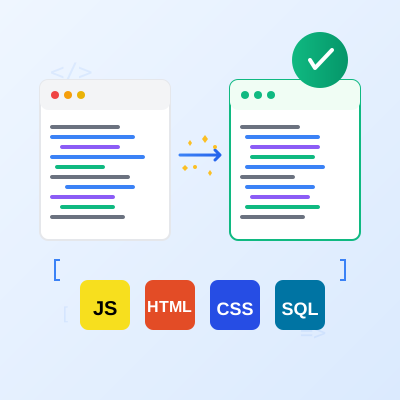
Gratis online code beautifier en formatter. Formatteer en verfraai JavaScript, HTML, CSS, SQL met syntaxmarkering, aanpasbare opties en directe minificatie.
Sluit u aan bij onze gemeenschap van tevreden klanten en bied uitstekende klantenservice met Post Affiliate Pro.




Cookie Toestemming
We gebruiken cookies om uw browse-ervaring te verbeteren en ons verkeer te analyseren. See our privacy policy.