
Affiliate Link Checker & Validator
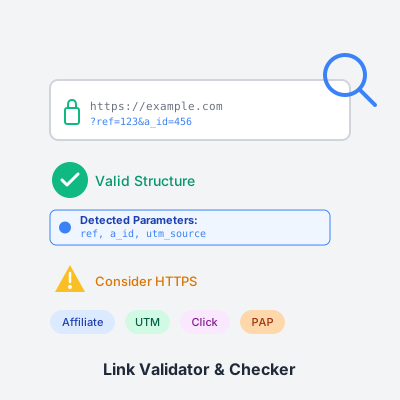
Valideer en analyseer uw affiliate links om correcte tracking parameters te garanderen en verloren commissies te voorkomen. Gratis tool met real-time validatie.
6 min lezen

Free email validation tool to verify email addresses instantly. Check syntax, detect disposable emails, get typo suggestions, and validate bulk email lists with RFC 5322 compliance. Protect your sender reputation and improve deliverability with comprehensive email verification.
Comprehensive syntax checking ensures email addresses conform to the official Internet standard RFC 5322. Validates local part (username) format, @ symbol presence, domain structure, top-level domain (TLD) validity, character restrictions, and length limits. Detects common formatting errors including consecutive dots, leading/trailing dots, missing @ symbol, invalid special characters, spaces in addresses, and malformed domains. Proper syntax validation is the foundation of email verification - syntactically invalid emails will always bounce, so catching them at point of entry prevents downstream issues.
Our validator uses advanced regex patterns that implement the complete RFC 5322 specification, going beyond simple “contains @” checks to ensure comprehensive format correctness. This catches approximately 30-40% of invalid emails immediately based on format alone.
Identifies temporary or disposable email services used for short-term access and then abandoned. Maintains an updated database of 30+ common disposable email providers including 10minutemail.com, guerrillamail.com, mailinator.com, tempmail.com, throwaway.email, yopmail.com, temp-mail.org, and many others. Disposable emails are problematic for businesses because users never return to them, creating inflated signup numbers with zero engagement, preventing legitimate communication, and facilitating fraud or abuse of trial systems.
Detection helps you: maintain list quality by excluding zero-value contacts, improve engagement metrics by focusing on reachable users, prevent fraud by blocking temporary verification bypasses, and protect resources by avoiding processing fake signups. Note that new disposable services appear regularly, so detection covers major providers but cannot be 100% comprehensive. Best used as one factor in overall email risk assessment.
Catches frequent domain misspellings and suggests corrections to improve data quality at point of entry. Recognizes typos for major email providers: Gmail (gmai.com, gmial.com, gmail.con, gamil.com, gmali.com), Yahoo (yaho.com, yhoo.com, yahoo.con), Outlook (outlok.com, outloo.com, outlook.con), Hotmail (hotmai.com, hotmail.con, hotmial.com), iCloud (iclou.com, icloud.con), and other popular services.
When a typo is detected, the tool displays “Did you mean [correct domain]?” suggestions, allowing immediate correction. This simple check prevents thousands of invalid addresses from entering your system due to honest mistakes. Implementation in forms provides real-time feedback as users type, gentle suggestions without blocking submission, automatic correction with user confirmation, and improved user experience by catching errors immediately. Typo detection can prevent 10-20% of invalid emails from common user mistakes, significantly improving list quality with minimal effort.
Validate hundreds or thousands of email addresses simultaneously for efficient list cleaning. Paste up to 10,000 emails at once, separated by newlines, commas, or semicolons. The tool automatically removes duplicates, validates each unique address, categorizes results by status (valid/invalid/suspicious), calculates comprehensive statistics, and displays detailed results with filterable views.
Bulk validation is essential for: List hygiene - Clean purchased or imported email lists before use. Campaign preparation - Validate entire list before major sends to maximize deliverability. Quarterly maintenance - Regular validation removes degraded addresses over time. Data migration - Verify emails when moving between platforms. Results show each email’s status, risk score, recommendation (Accept/Review/Reject), detection flags (disposable, role-based, free provider), and typo suggestions where applicable. Filter results to view only valid, invalid, or suspicious addresses, then export cleaned lists for use in your email marketing platform or CRM.
Multiple export formats support various workflows and integrations. Export validated results as: CSV format (includes email, status, risk score, flags, recommendations - ideal for spreadsheet analysis or ESP imports), JSON format (structured data for API integrations or custom processing), TXT format (simple list of email addresses for easy copying). Copy valid emails directly to clipboard with one click - filters to valid-only addresses and copies as newline-separated list ready to paste into your email platform.
Export benefits: preserve validation results for documentation, share cleaned lists with team members, import validated emails into marketing automation platforms, maintain audit trail of list cleaning activities, and backup validation data before making list changes. All exports include current filter settings, so you can export all results, only valid emails, only suspicious emails for review, or only invalid emails for exclusion lists. Downloaded files are saved locally to your device - never uploaded or stored on our servers.
Intelligent risk assessment combines multiple validation factors into a single 0-100 score (higher = riskier). Risk factors considered: Invalid syntax (maximum risk), disposable email domain (+70 points), role-based address (+30 points), suspicious patterns (+40 points - excessive numbers, consecutive dots, very short usernames), free provider (+10 points - Gmail, Yahoo, etc.), missing or invalid TLD (+50 points).
Risk categories: 0-29 (Low Risk) - Recommendation: Accept. Addresses are syntactically valid with no major red flags. Suitable for automated acceptance and normal processing. 30-59 (Medium Risk) - Recommendation: Review. Addresses have some concerning factors but aren’t clearly invalid. Consider manual review, additional verification steps, or lower priority treatment. 60-100 (High Risk) - Recommendation: Reject. Addresses have multiple serious issues or are invalid. Likely to bounce or cause problems - reject or require strong additional verification.
Use risk scores to: automate decision-making (accept low, reject high, review medium), prioritize manual review efforts on medium-risk addresses, segment lists for different treatment strategies, implement tiered verification (higher risk = more verification), and adjust thresholds based on your business model and risk tolerance. Risk scoring provides nuanced assessment beyond simple valid/invalid, helping you make informed decisions about borderline cases.
Automatic history tracking maintains records of your recent validation sessions for reference and analysis. Stores last 10 validation sessions in browser localStorage with timestamp, mode (single or bulk), total email count, breakdown by status (valid/invalid/suspicious counts and percentages). History enables you to: review past validation results without re-running, track list quality improvements over time, compare validation outcomes across different sources, maintain session context when interrupted, and access quick statistics without re-validating.
Statistics dashboard displays: Total emails validated in current session, Valid count and percentage - properly formatted, deliverable addresses, Invalid count and percentage - syntactically incorrect or definitely undeliverable, Suspicious count and percentage - questionable addresses requiring review. Visual statistics help you quickly assess list quality and make informed decisions about next steps. Clear history anytime for privacy - all data stored locally on your device only.
Complete client-side processing ensures maximum privacy and security. Privacy guarantees: All validation happens in your browser using JavaScript, email addresses never leave your device, no server uploads or API calls, no data storage or logging, no account creation required, no cookies or tracking, works offline once page loads. Verification: Open browser DevTools Network tab during validation to confirm zero server requests. Inspect page source code to verify client-side operation - all validation logic is visible and auditable.
Benefits of client-side validation: Suitable for confidential or sensitive email lists, GDPR and privacy regulation compliant, no third-party data access or sharing, fast results (no network latency), works in air-gapped or restricted network environments, no service outages or API limits. Security for enterprises: Save page locally for completely offline use, validate private contact lists without exposure risk, no credential management or authentication complexity, eliminate vendor security assessment burden.
Trade-offs: Cannot perform MX record verification (requires DNS lookup), cannot SMTP validate actual mailbox existence (requires server connection), disposable domain detection limited to known list at time of page load, browser memory constraints for extremely large lists (100k+). For most use cases, client-side validation provides 80-90% of the value of server-side validation with significantly better privacy and security. Use paid server-side services only when deliverability confirmation is absolutely required.
Seamless dark mode support for comfortable validation in any lighting condition. Automatically detects system preferences and switches between light and dark themes. Dark mode features: reduced eye strain during extended use, better visibility in low-light environments, modern aesthetic matching OS preferences, consistent with user’s workflow across applications, full component styling (forms, tables, buttons, badges, statistics all adapt to dark theme).
All validation results, statistics, and export functions work identically in both themes - only visual presentation changes. Perfect for late-night list cleaning sessions or users who prefer dark interfaces.
Instant validation results as you type or paste emails. Single email mode validates on button click or Enter key press, displaying immediate detailed results with status badge, risk score, recommendation, and complete flag breakdown. Bulk mode processes entire lists in milliseconds, showing progress and results for each address simultaneously.
Real-time feedback enables: immediate error correction at point of entry, user experience improvement through instant validation, reduced form abandonment by catching issues early, confidence in data quality before submission. No waiting, no delays - paste emails and see results instantly.
Email deliverability depends critically on sender reputation - a score ISPs assign based on your sending behavior. High bounce rates from invalid emails severely damage this reputation, causing legitimate emails to land in spam folders or be blocked entirely. ISPs track bounce rates closely - sustained rates above 5% trigger spam filters and delivery throttling. Once damaged, sender reputation takes months to rebuild through consistent good practices.
Email validation prevents reputation damage by: eliminating known-invalid addresses before sending, reducing hard bounces that hurt reputation most severely, maintaining healthy engagement metrics that boost reputation, demonstrating responsible sending practices to ISPs, and protecting domain reputation across all email sending. Organizations spend years building positive sender reputation - a single send to a dirty list can undo that progress. Proactive validation is reputation insurance, ensuring your legitimate messages reach inboxes reliably.
Email bounces fall into two categories - hard bounces (permanent failures from invalid addresses) and soft bounces (temporary issues like full mailboxes). Hard bounces directly damage sender reputation and waste resources. Common causes of hard bounces: syntactically invalid email addresses, non-existent mailboxes, invalid domains, typos in popular providers, disposable emails that expired.
Email validation eliminates hard bounce causes: syntax checking prevents format errors, domain validation catches non-existent domains, typo detection fixes common mistakes, disposable email detection removes temporary addresses. Expected results from proper validation: 50-80% reduction in hard bounce rates, improved deliverability scores with ESPs, fewer spam folder placements, lower costs per successful delivery, more accurate campaign metrics. Clean lists mean your emails reach real people, not dead-end addresses that hurt your reputation and waste your budget.
Invalid emails directly reduce campaign return on investment through multiple channels. Cost impacts: Email service providers charge per contact or send - invalid emails waste these costs, high bounce rates may trigger overage charges or account restrictions, and damaged reputation means fewer legitimate emails delivered. Metric impacts: Invalid emails inflate list size while reducing engagement percentages, inaccurate open and click rates hinder optimization, and false performance data leads to poor strategic decisions.
Validation improves ROI by: reducing per-send costs by eliminating invalid contacts, improving actual engagement rates among valid subscribers, providing accurate performance data for optimization, maximizing deliverability to ensure message reaches audience, and focusing marketing efforts on real, reachable prospects. Calculate your potential savings: If you have 10,000 contacts, pay $100/month for email service, and 15% are invalid - you’re wasting $15/month or $180/year on undeliverable addresses. Scale that to enterprise lists (100k+ contacts) and savings become substantial. Beyond direct costs, improved deliverability and engagement metrics compound returns over time.
High-quality contact data is a competitive advantage. Poor data quality cascades through your organization: marketing sends to invalid addresses, sales pursues non-existent leads, support cannot reach customers, and analytics mislead strategy. Email validation establishes data quality at point of entry and during maintenance cycles.
Benefits of quality email data: Marketing - accurate targeting and personalization, Sales - confidence in contact information reliability, Support - successful customer communication, Analytics - trustworthy metrics for decision-making, Compliance - demonstrated reasonable efforts to maintain accurate data. Implement validation at multiple stages: real-time validation during signup forms, batch validation of imported lists, quarterly cleaning of existing databases, pre-campaign validation before major sends, and ongoing monitoring of bounce patterns. Organizations with strong data quality practices outperform competitors through better customer relationships, more efficient operations, and informed strategic decisions.
Email marketing regulations (CAN-SPAM, GDPR, CASL) require businesses to maintain certain standards. While validation isn’t explicitly mandated, it supports compliance: Data accuracy requirements - Some regulations require reasonable efforts to maintain accurate contact information. Regular validation demonstrates due diligence. Opt-in verification - Validation confirms email format correctness before sending confirmation emails, reducing delivery failures in double opt-in flows. Recipient identification - Valid email addresses help properly identify data subjects for GDPR requests.
Beyond legal compliance, validation supports ethical email practices: respecting recipient mailboxes by avoiding spam-like behavior (high bounces), maintaining professional reputation through clean sending, and demonstrating responsible data stewardship. While validation alone doesn’t guarantee compliance, it’s an important component of a compliant email program. Combined with proper consent management, unsubscribe handling, and content requirements, validation helps build a legally sound email marketing operation.
Not all email addresses are equal - validation helps distinguish high-quality leads from low-value contacts. Lead quality indicators: Free email providers (gmail.com, yahoo.com) suggest consumer/individual, corporate domains suggest business/professional context, role-based addresses (info@, sales@) indicate lower personalization, and disposable emails signal low intent or potential fraud.
Use validation to score and segment leads: High-quality indicators - corporate domain, personal address (not role-based), standard formatting. Medium-quality indicators - free provider, valid syntax, no red flags. Low-quality indicators - disposable email, suspicious patterns, typos. Implement lead qualification workflows based on email quality: auto-accept high-quality for immediate follow-up, flag medium-quality for additional verification, reject or require phone verification for low-quality. This tiered approach focuses sales resources on most promising leads while filtering out time-wasters. Lead generation ROI improves dramatically when email validation helps identify and prioritize genuine prospects.
Real-time email validation improves form submission success rates and user experience. Implement validation that: checks syntax as users type (with debouncing to avoid excessive checking), suggests corrections for detected typos, flags disposable emails with warnings, and confirms valid emails with visual feedback. Best practices: Non-blocking validation - warn about issues but allow submission, gentle language - suggest rather than demand, clear messaging - explain why certain emails aren’t accepted, visual indicators - use colors and icons for quick feedback.
Benefits of inline validation: catch errors immediately while user can easily correct, reduce form abandonment from post-submit errors, improve data quality at point of capture, enhance perceived professionalism and attention to detail, and decrease support inquiries from delivery failures. Example implementation: As user types “user@gmai.com ”, show real-time suggestion “Did you mean gmail.com?” with option to auto-correct. User clicks suggestion, email corrects instantly, and validation confirms with green checkmark. This delightful experience prevents invalid data while making users feel supported rather than criticized. Form validation is the most effective place to implement email checking - catching errors at source is 10x more valuable than cleaning data later.
Email validation is the process of verifying that an email address is valid, properly formatted, and likely to be deliverable before sending messages to it. For businesses, proper email validation is critical for multiple reasons: **Improved deliverability** - Invalid emails bounce, hurting your sender reputation and potentially causing legitimate emails to land in spam. **Cost savings** - Email marketing platforms charge per contact, so removing invalid emails reduces costs. **Better engagement** - Clean lists mean accurate open rates and click-through metrics. **Data quality** - Validated emails ensure your CRM and marketing automation systems contain reliable contact information. **Compliance** - Some regulations require reasonable efforts to maintain accurate contact lists. Our tool performs RFC 5322 syntax validation, detects disposable emails, identifies common typos, flags role-based addresses, and provides risk scoring to help you maintain clean, high-quality email lists.
RFC 5322 is the Internet standard that defines the format for email addresses. Email syntax validation checks whether an address conforms to this standard. A valid email has three parts: **Local part** (before @) - Can contain letters, numbers, and certain special characters like dots, hyphens, underscores. Cannot start or end with a dot, and cannot have consecutive dots. **@ symbol** - Required separator between local and domain parts. **Domain part** (after @) - Must be a valid domain name with at least one dot, proper characters, and a valid top-level domain (TLD) like .com, .org, .net. Our validator uses regex patterns to check all RFC 5322 rules including character restrictions, length limits, and proper structure. However, syntax validation alone doesn't guarantee deliverability - an email can be syntactically correct but still non-existent (like user@google.com might be properly formatted but not actually exist). That's why we also check for disposable domains, typos, and suspicious patterns.
Disposable (or temporary) email addresses are email accounts designed to be used briefly and then discarded. Services like 10minutemail.com, guerrillamail.com, tempmail.com, and mailinator.com provide instant, temporary inboxes that expire after minutes or hours. **Why users use them:** Avoiding spam when signing up for services, testing applications, bypassing email verification without giving real contact info, protecting privacy in low-trust situations. **Why businesses should detect them:** Low engagement (users never return to temporary addresses), inflated metrics (fake signups distort analytics), fraud prevention (temporary emails facilitate abuse), list quality (temporary addresses have zero long-term value). Our tool maintains a database of 30+ common disposable email domains and flags any address using these services. However, new disposable services appear regularly, so no detection is 100% complete. Best practice: Use disposable email detection as one factor in a broader validation strategy, not as the sole criterion for rejection.
Our typo detection identifies common misspellings in email domains and suggests corrections. This is crucial because users frequently mistype popular email providers. **Common typos we detect:** gmail.com variations (gmai.com, gmial.com, gmail.con, gamil.com), yahoo.com variations (yaho.com, yhoo.com, yahoo.con), outlook.com variations (outlok.com, outloo.com), hotmail.com variations (hotmai.com, hotmail.con). **How it works:** We maintain a mapping of legitimate domains to their common typos. When validating an email, we check if the domain matches any known typo pattern and suggest the correct domain. For example, 'user@gmai.com' would flag a typo and suggest 'Did you mean gmail.com?'. **Implementation strategy:** Show suggestions in real-time as users type (for forms), present correction options before submission, automatically correct obvious typos with user confirmation. **Benefits:** Improves data quality at point of entry, enhances user experience by catching mistakes immediately, reduces bounce rates from typos, demonstrates attention to detail. This simple check can prevent significant numbers of invalid addresses from entering your system.
Role-based (or generic) email addresses are mailboxes shared by multiple people rather than belonging to an individual. Common examples include info@, sales@, support@, admin@, contact@, help@, noreply@, marketing@, webmaster@, postmaster@. **Characteristics:** Not tied to a specific person, typically monitored by multiple team members, often have lower engagement rates, higher unsubscribe rates, less personalized communication. **Should you reject them?** It depends on your use case. **Accept role-based emails when:** B2B marketing (many companies use info@ for legitimate business inquiries), customer support contexts (support@ is appropriate for service issues), newsletter signups where personal addresses aren't critical. **Be cautious with role-based emails for:** Personalized marketing campaigns (lower effectiveness), loyalty programs (require individual tracking), account registration requiring personal identification, high-value transactions needing verification. Our tool flags role-based addresses but doesn't automatically reject them - you decide the policy. Best practice: Accept role-based emails but segment them separately, adjust messaging to be more formal and less personal, monitor engagement metrics separately, consider lower priority in lead scoring systems.
Client-side email validation (validation performed in the browser without server communication) provides fast, privacy-focused checking but has inherent limitations. **What client-side validation CAN do:** Verify syntax and RFC 5322 compliance, detect disposable email domains (from known lists), identify common typos and suggest corrections, flag role-based addresses, check for suspicious patterns, validate TLD format. **What client-side validation CANNOT do:** Confirm the email actually exists on the mail server, verify MX records (requires DNS lookup), check if the mailbox is full or disabled, detect catch-all domains that accept any address, identify newly created disposable email services, verify email ownership. **Accuracy expectations:** Syntax validation is ~99% accurate for format checking, disposable detection covers major services but new ones appear constantly, typo detection works for common providers but not obscure domains, cannot determine actual deliverability without server-side verification. **Best practice approach:** Use client-side validation for immediate feedback and obvious issues, implement server-side verification for critical validations, use email verification APIs for high-value scenarios requiring deliverability confirmation, send confirmation emails to verify ownership for important transactions. Our tool provides comprehensive client-side validation that catches 80-90% of problematic emails while respecting user privacy.
Email risk scoring assigns a numerical value (0-100 in our tool, where higher = riskier) to indicate the likelihood that an email address is problematic. The score combines multiple factors: **Invalid syntax** (adds maximum risk), **disposable email** (adds 70 points), **role-based address** (adds 30 points), **suspicious patterns** (adds 40 points - excessive numbers, consecutive dots, very short local part), **free provider** (adds 10 points - gmail, yahoo, etc.), **missing/invalid TLD** (adds 50 points). **Risk categories:** 0-29 = Low risk (Accept), 30-59 = Medium risk (Review), 60-100 = High risk (Reject or require additional verification). **How to use risk scores:** Automated acceptance (score <30), automated rejection (score >60), manual review (score 30-60), tiered verification (higher scores require more validation steps), segmentation (different treatment based on risk level). **Customization strategies:** Adjust thresholds based on your risk tolerance and business model. B2C companies may accept higher risk for growth, B2B or financial services may set stricter thresholds. Use risk scores as one input in broader decision-making, not as absolute judgment. Monitor outcomes and adjust scoring weights based on your specific patterns of problematic emails.
Bulk email validation is essential for list hygiene, especially when acquiring contacts from multiple sources. **Our bulk validation features:** Upload or paste up to 10,000 emails at once, automatic duplicate removal, parallel validation processing, filterable results (all/valid/invalid/suspicious), export validated lists in CSV, JSON, or TXT format, detailed statistics and analytics. **Best practices for bulk validation:** **Before campaigns** - Validate entire list before sending to improve deliverability and reduce bounces. **After acquisition** - Immediately validate purchased or imported lists. **Regular maintenance** - Quarterly validation of existing lists to remove degraded addresses. **Segmentation** - Separate validated emails by risk level for targeted treatment. **Gradual sends** - Test high-risk segments with small sends before full campaigns. **Workflow integration:** Export valid emails to your ESP or CRM, review suspicious emails manually before deciding, permanently remove invalid emails to reduce storage costs, re-validate role-based addresses periodically for policy compliance. **Performance considerations:** Our tool processes emails client-side, so very large lists (100k+) should be split into batches, browser memory limits may affect extremely large validations, export results before closing browser to avoid data loss. For enterprise-scale validation (millions of emails), consider server-side validation APIs with deliverability checking and MX record verification.
Our free tool provides comprehensive client-side validation, while paid services offer additional server-side verification. **Free tools (like ours) provide:** Syntax validation (RFC 5322 compliance), disposable email detection, typo suggestions, role-based identification, risk scoring, bulk validation, privacy (no data sent to servers), instant results, unlimited use. **Paid services additionally offer:** MX record verification (confirms domain accepts email), SMTP validation (connects to mail server to verify address exists), catch-all domain detection, mailbox full/disabled checking, deliverability scoring, API integration, higher processing speeds, very large batch processing (millions of emails), detailed reporting and analytics, email enrichment (additional data about the owner), ongoing list monitoring and alerts. **When free tools are sufficient:** Form validation at point of entry, basic list cleaning, detecting obvious problems (syntax, disposables), small to medium list sizes, privacy-sensitive situations, tight budgets. **When paid services are worth it:** Critical email campaigns with high ROI potential, large-scale operations (millions of emails), need for actual deliverability confirmation, email verification as a service to customers, compliance requirements demanding thorough verification. **Hybrid approach:** Use free tools for initial screening and obvious issues, use paid services for high-value scenarios requiring deliverability confirmation, validate at multiple stages (entry, pre-campaign, post-bounce). Our free tool handles 80-90% of validation needs for most users, with paid services reserved for specialized requirements.
Email validation directly impacts key marketing metrics and campaign success. **Deliverability improvement:** Invalid emails bounce, damaging sender reputation. High bounce rates (>5%) trigger spam filters, causing even valid emails to be blocked. Clean lists maintain strong sender scores with ISPs, ensuring inbox placement. **Cost reduction:** Email service providers (ESPs) charge per contact or send. Removing invalid emails reduces bills directly - 10% invalid emails = 10% wasted budget. Better deliverability means fewer emails to spam, maximizing value of each send. **Accurate metrics:** Invalid emails skew open rates, click rates, and conversion metrics downward. Clean lists provide true performance data for optimization. Better data leads to improved segmentation and personalization strategies. **Engagement optimization:** Focusing on real, engaged addresses improves overall engagement signals. Higher engagement further improves deliverability in a positive feedback loop. ISPs prioritize senders with strong engagement to real users. **Implementation strategy:** Validate at signup (real-time form validation catches errors immediately), clean existing lists before campaigns (quarterly validation recommended), segment by validation status (treat high-risk emails differently), monitor results (track bounce rates by segment to refine strategy), implement double opt-in for new subscribers (confirms address validity and engagement). **Expected improvements:** 20-50% reduction in bounce rates, 10-30% increase in actual open rates (from more accurate metrics), 15-40% cost savings from list size reduction, improved sender reputation scores, better inbox placement rates. Email validation should be a foundational practice, not an afterthought - it's one of the highest-ROI activities in email marketing.
Yes, our tool prioritizes privacy and security through complete client-side processing. **Privacy guarantees:** All validation happens entirely in your browser - email addresses never leave your device, no server uploads or API calls, no data storage on our servers, no cookies or tracking during tool use, no email collection or resale. **Verification:** Open browser DevTools Network tab during validation - you'll see zero requests. All processing uses JavaScript in your browser. Code is open and auditable - inspect page source to verify client-side operation. **Security features:** No authentication required (no account creation means no credential risk), works offline once page loads (disconnect internet and continue using), localStorage for history remains on your device only, exported files saved locally (never uploaded). **Enterprise and sensitive data:** Suitable for validating confidential contact lists, GDPR and privacy regulation compliant (no data processing or transfer), can be used in air-gapped or high-security environments, save page locally for completely offline use. **Trade-offs of client-side validation:** Cannot perform MX record lookups (requires server), cannot SMTP validate (requires server connection), disposable domain list is snapshot (updates require page refresh), browser memory limits affect very large lists. **Best practices:** For ultimate security, save page locally and use offline, clear browser history after validation if needed, export results to secure storage, don't paste extremely sensitive emails in shared/public computers. Our client-side approach means you maintain complete control over your data - we never see, store, or have access to any email addresses you validate.
Beheer meerdere affiliate programma's en verbeter de prestaties van uw affiliate partners met Post Affiliate Pro.
Valideer en analyseer uw affiliate links om correcte tracking parameters te garanderen en verloren commissies te voorkomen. Gratis tool met real-time validatie.

Gratis online code beautifier en formatter. Formatteer en verfraai JavaScript, HTML, CSS, SQL met syntaxmarkering, aanpasbare opties en directe minificatie.

Post Affiliate Pro is uitstekende affiliate-software, en dat is ook anderen opgevallen! Bekijk de onderscheidingen & certificaten die we hebben ontvangen.
Sluit u aan bij onze gemeenschap van tevreden klanten en bied uitstekende klantenservice met Post Affiliate Pro.




Cookie Toestemming
We gebruiken cookies om uw browse-ervaring te verbeteren en ons verkeer te analyseren. See our privacy policy.